Help Centre › For affiliates
Become an affiliate and share your link
5 steps · 3 min · Updated 4 November 2026
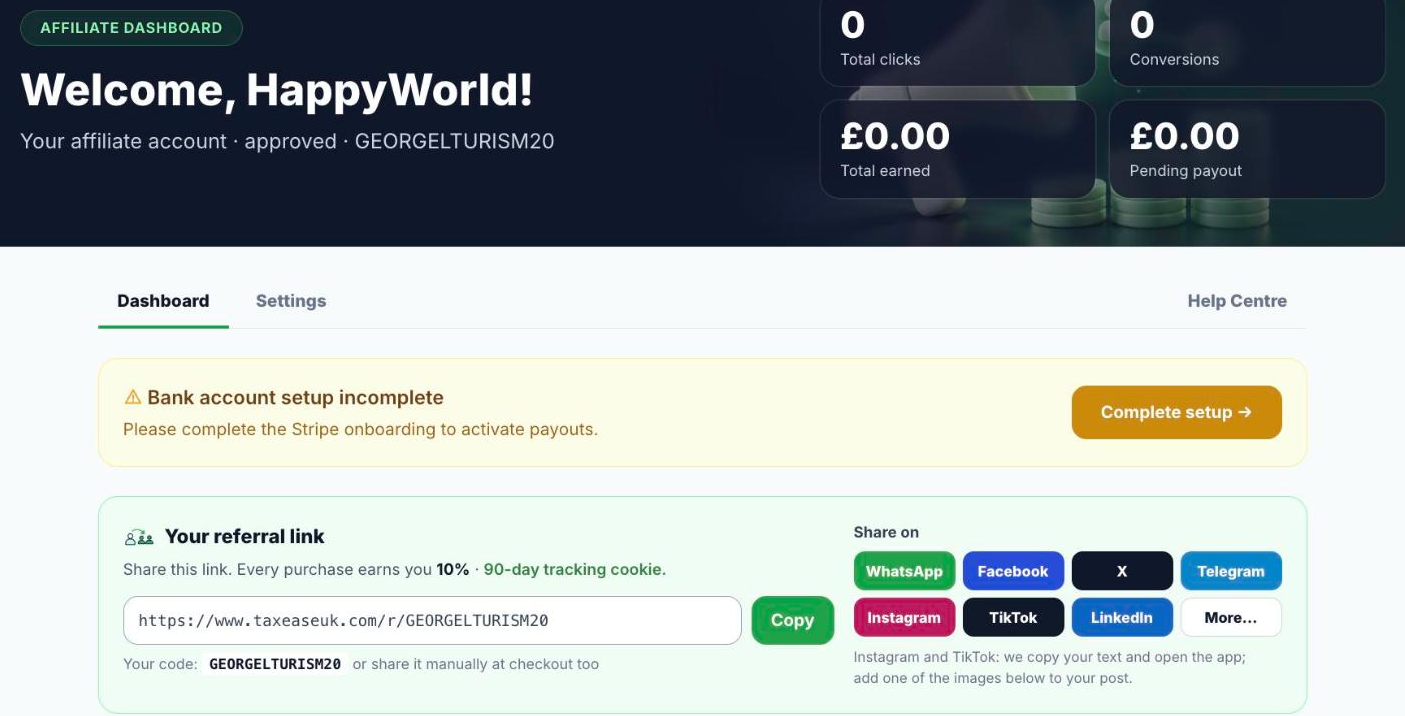
- Open Affiliates and apply. Once approved, your affiliate dashboard opens: clicks, conversions, what you have earned and what is waiting to be paid.
- Press Complete setup in the yellow box and connect your bank account through Stripe, once. Until then, payouts cannot start.
- Under Your referral link you find your link and your code. Press Copy, or share straight to WhatsApp, Facebook, X, Telegram, Instagram, TikTok or LinkedIn.
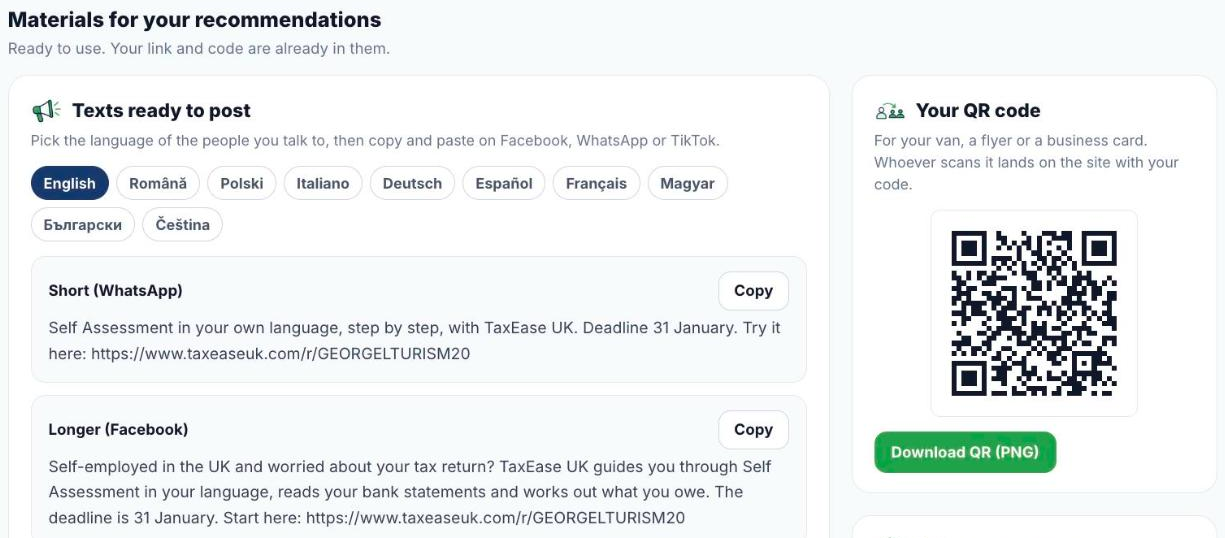
- Under Materials for your recommendations, pick a language and copy a ready text (short for WhatsApp, longer for Facebook), download an image, or download your QR code for your van, a flyer or a business card. Your link and code are already in all of them.
- When someone clicks your link and buys within 90 days, the sale is yours. You earn 10% of every purchase, paid automatically every Monday through Stripe.
Good to know
- Payouts start once your Stripe setup is complete; the minimum payout is £20.
- Posts must follow the Affiliate Terms: no guaranteed refunds or savings, do not say TaxEase UK is approved by HMRC or files the return for people, do not say people no longer need an accountant, quote only the price on the site, no spam and no fake reviews.
Was this helpful?Still stuck?or email support@taxeaseuk.com