Help Centre › Company directors
Company books for directors
6 steps · 3 min · Updated 4 November 2026
- On My Account, your company's box shows how many lines are waiting to be checked. Press Open company.

- Company books opens for the quarter you see at the top right; the arrows change the quarter. Press Snap a receipt, Import bank statement (CSV / PDF) or Add manually. There is no bank account link: you upload the statement and it is only read.
- Every line gets a category from the list. The boxes above show money in, money out, VAT on sales, VAT on purchases and how many lines are To check.
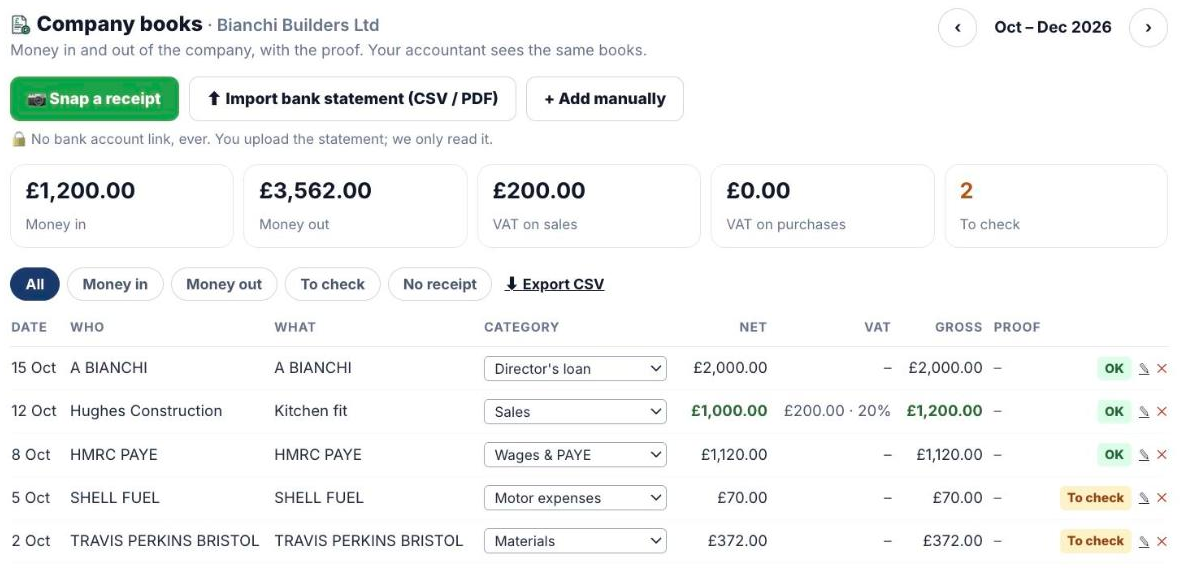
- Lines marked To check need a look from you or your accountant. Pick the right category, then press OK. The filters To check and No receipt show only those lines.
- Under the lines, the VAT preview shows boxes 1 to 7 for the quarter.
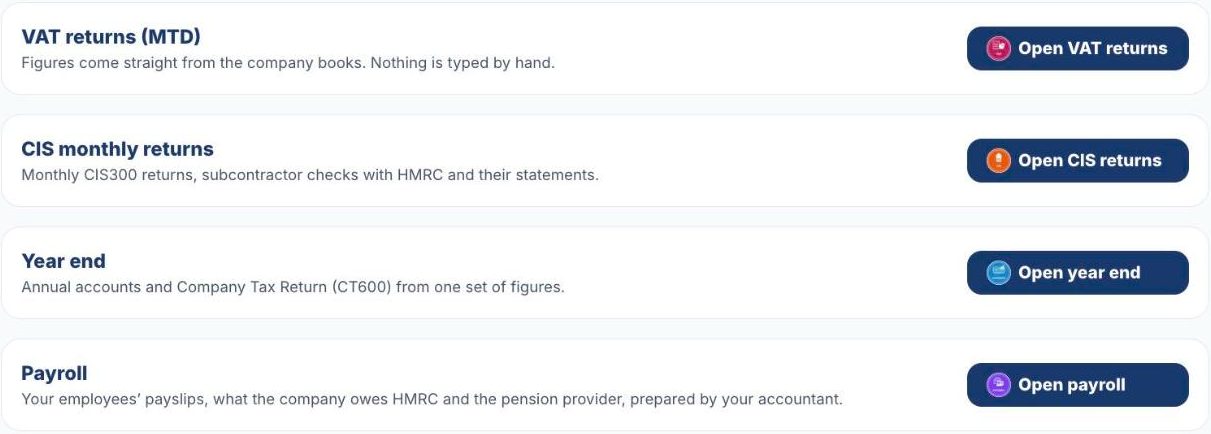
- Under the books you open VAT returns, CIS monthly returns, Year end and Payroll. They are all made from these books; nobody types the figures twice.
Was this helpful?Still stuck?or email support@taxeaseuk.com