Help Centre › Self Assessment
Your Self Assessment in 15 steps
9 steps · 5 min · Updated 3 November 2026
Before you start
- Have your UTR (10 digits) and National Insurance number. The list of documents for your situation is at step 2.
- Free up to step 12, no card needed. Premium unlocks all 15 steps.
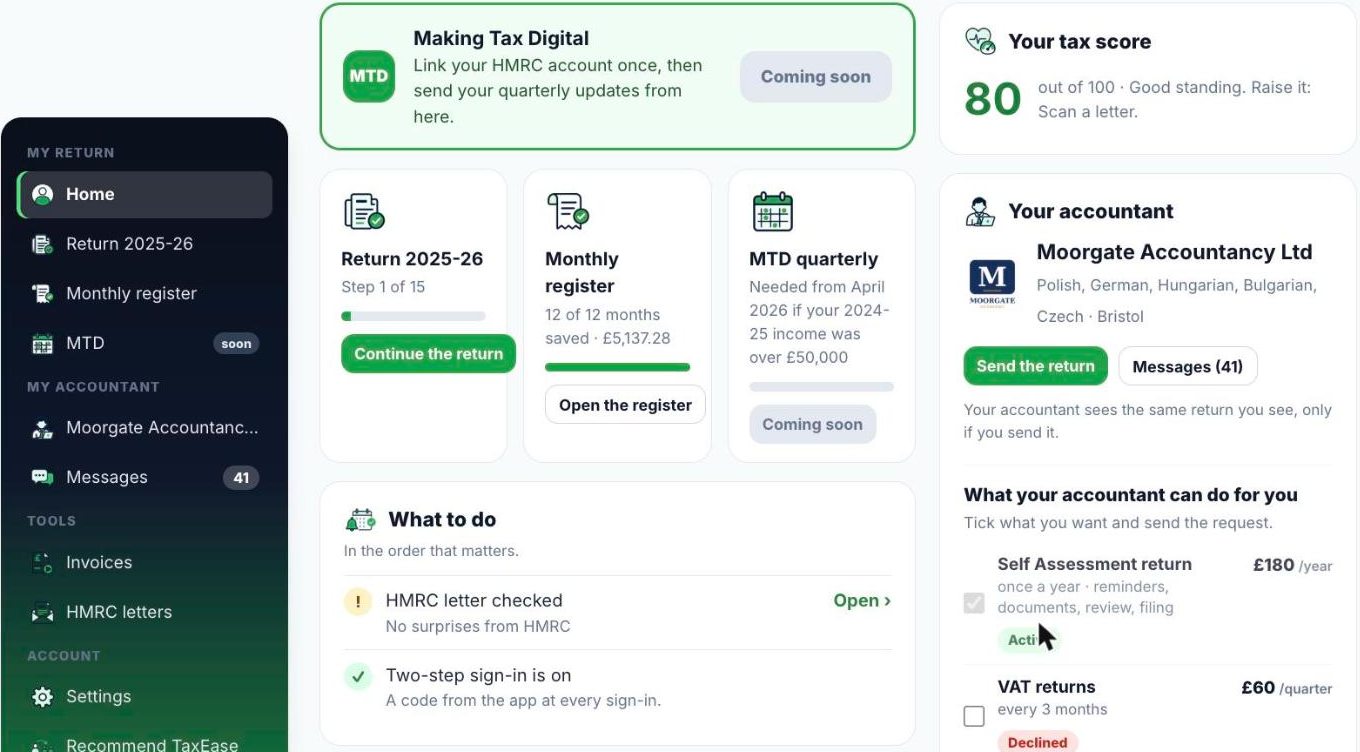
- Sign in and open My Account. On the Return 2025-26 card press Start the return (or Continue the return if you have already begun).
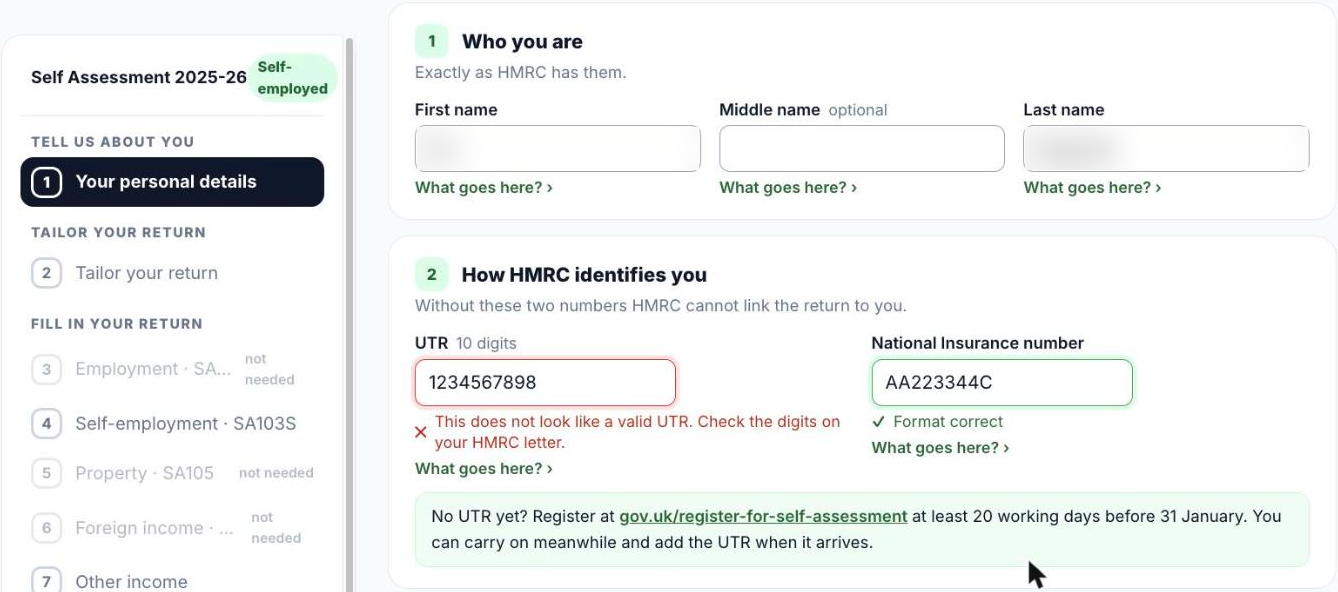
- Step 1, Your personal details: name, UTR, National Insurance number, address. Under each field, What goes here? explains it. The list of steps is on the left; steps you do not need show not needed.
- Step 2, Tailor your return: your answers decide which pages you need.
- Steps 3 to 6: employment (one block per employer, from your P60), self-employment, UK property and income from abroad.
- Steps 7 to 11: other income, pensions and Gift Aid, allowances, student loan and Child Benefit.
- Step 12, Check before you go on: what is missing, what does not add up, and which HMRC pages your return will have.
- Step 13, Your tax calculation: laid out like HMRC's own calculation.
- Step 14, File your return with HMRC: send it to HMRC directly from here, send it to your accountant, or copy each figure into gov.uk yourself. See File your return and pay HMRC.
- Step 15, After you file: the important dates and what to keep.
Good to know
- Every box tells you what it is, where to find the figure and an example. Press the small help next to it.
- Your figures are saved encrypted in your account. Stop any time and continue on any device.
- The online deadline for 2025-26 is 31 January 2027.
Was this helpful?Still stuck?or email support@taxeaseuk.com