Help Centre › Self Assessment
File your return and pay HMRC
4 steps · 3 min · Updated 3 November 2026
- At step 14, File your return with HMRC, you see the total due by 31 January and three ways to file: directly with HMRC from here, through your accountant, or by copying each figure into gov.uk yourself.
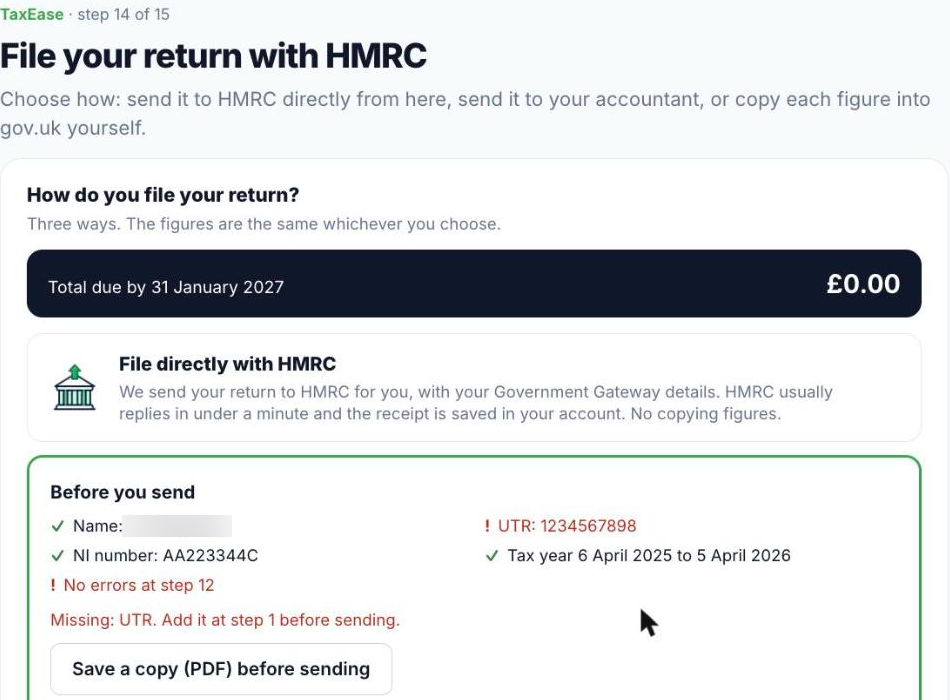
- Filing directly? Check Before you send: name, UTR, National Insurance number, tax year and no errors at step 12. Press Save a copy (PDF) before sending if you want a copy, then fill in your Government Gateway details and send. HMRC usually replies in under a minute and the receipt is saved in your account.
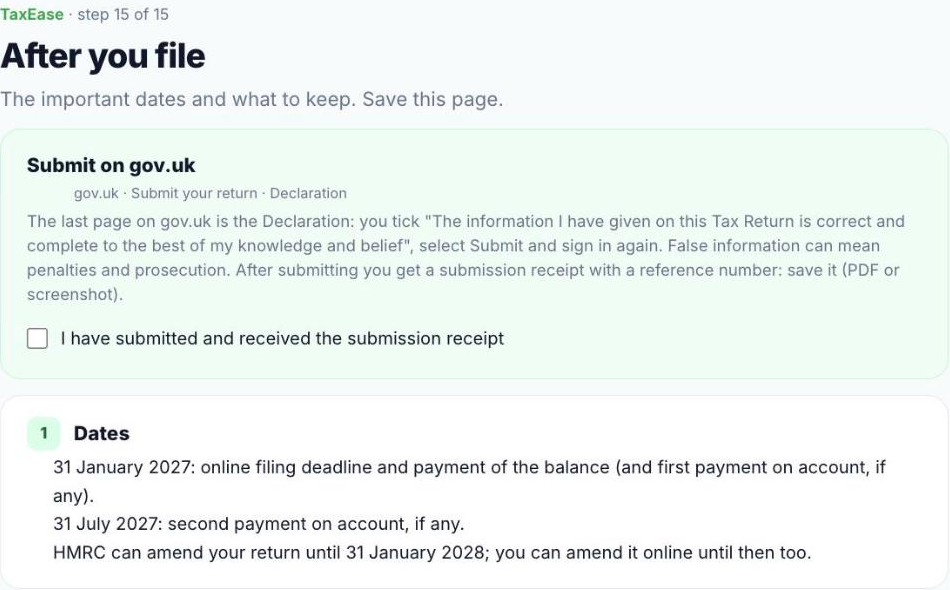
- Step 15, After you file, shows the dates: by 31 January the balance (and the first payment on account, if any), by 31 July the second payment on account. It also lists what to keep for 5 years.
- To pay, use HMRC's “Pay your Self Assessment tax bill” page on gov.uk, with your UTR followed by K as the reference.
Was this helpful?Still stuck?or email support@taxeaseuk.com