Help Centre › For accountants
Add-ons: switch on what you use
6 steps · 3 min · Updated 14 November 2026
- Press Add-ons in the menu. Each card shows what the add-on does and its price.
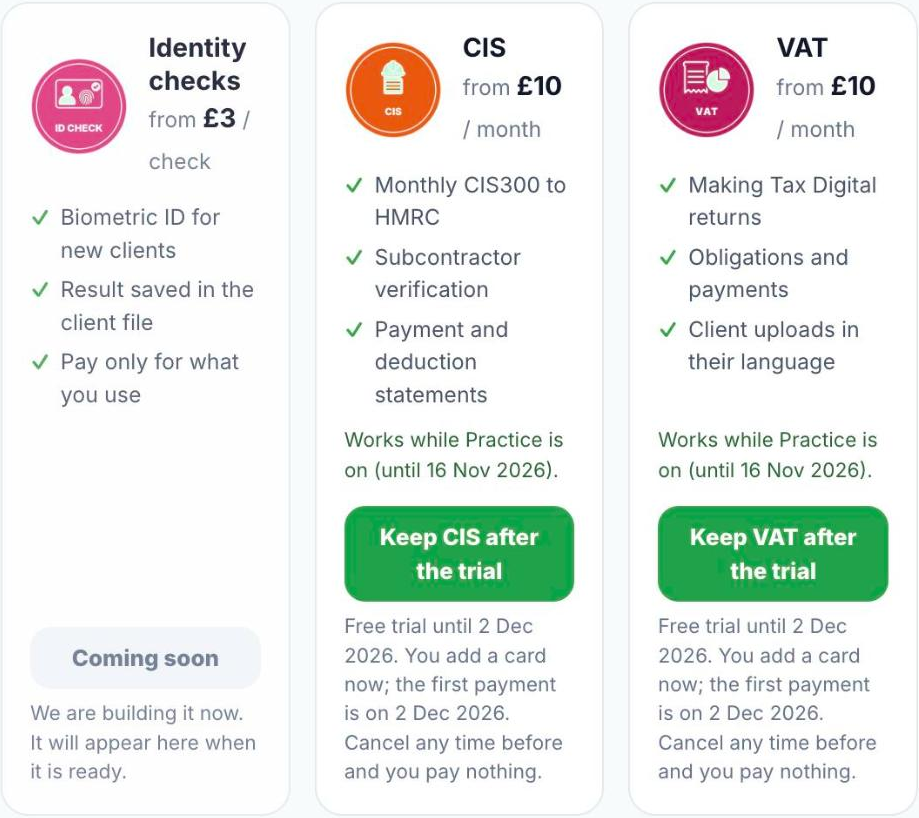
- Press Start 30 days free to try an add-on. During the trial the card shows the date it ends.
- To keep it after the trial, press the green button on the card (for example Keep VAT after the trial). You add a card now; the first payment is on the date shown. Cancel any time before and you pay nothing.
- Prices: Practice £29 a month. Self Assessment above the clients included in your plan £19 per client per year: you choose it when you add a client over your limit, or the client pays £39 through your invitation link. The full list is on the add-ons page.
- MTD through the accountant (£2.50 per client per month), VAT (£2.50 per client per month), CIS (£10 per company per month), Accounts and CT600 (£30 per company per year) and Payroll (£19 a month, any number of employees) are coming soon. Their cards say so; they cannot be switched on and nothing is charged until they are ready.
- Some add-ons are already part of your plan; their card says Included in your plan.
Good to know
- When an add-on is off, the service still shows in the client file so you can read what is there, but its actions are locked.
- Your active add-ons also appear at the bottom of the menu, under Add-on services.
- Prices do not depend on bands or on how many add-ons you have: each one has its own price, per client or per company where it says so. If a price ever changes, we email you before the invoice.
Was this helpful?Still stuck?or email support@taxeaseuk.com