Help Centre › For accountants
The client file
8 steps · 4 min · Updated 10 November 2026
- In Clients, click the client's name. The client file opens.
- On the left: what the client filled in for their return, Their documents and Messages. They write in their language; you read it in yours.
- On the right, one box holds everything else, in four groups: The return, Services, Client and File. Each line shows a short status, for example 2 to check or Signed · 29 Oct.
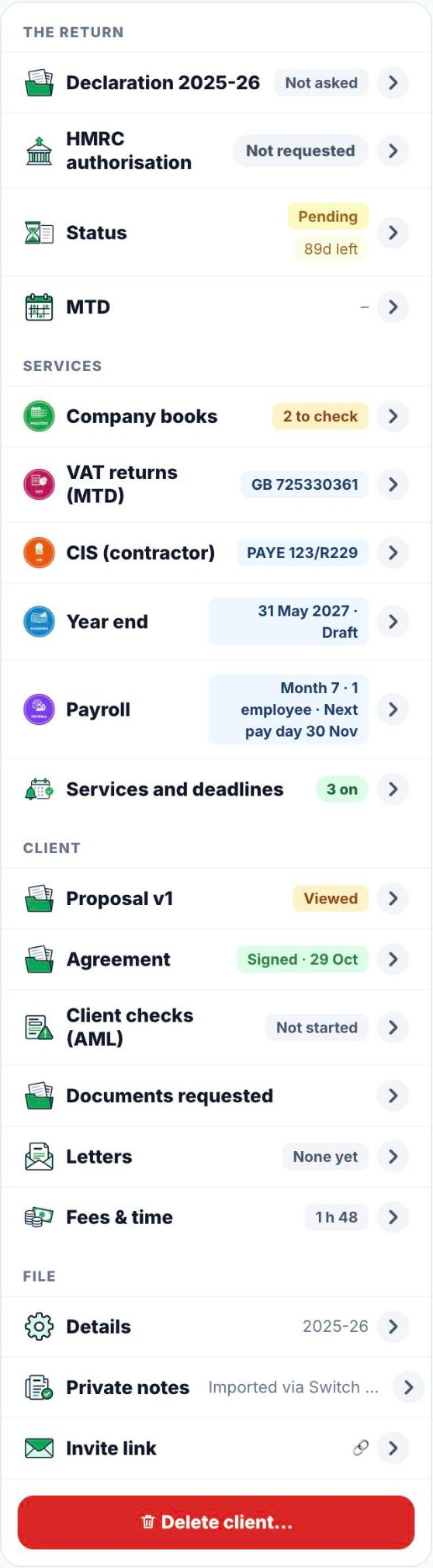
- Press a line to open it. Its content opens right under the name, on a light green background. Only one line is open at a time: open another and the first one closes.
- To switch services on, open Services and deadlines and press a service with +, for example + VAT returns. The deadlines are worked out for you and appear in Deadlines. Click a service name to change its details.
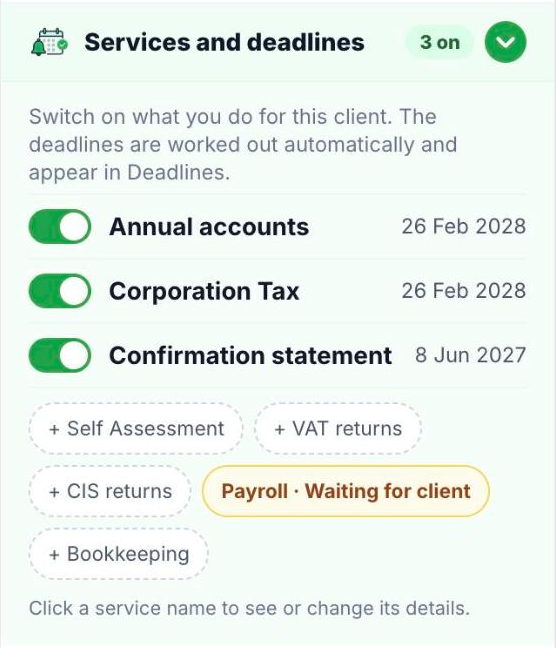
- The lines for Company books, VAT, CIS, Year end and Payroll each have a button that opens that service as a sheet over the client file, for example Open VAT returns. Proposal and Fees & time open as a sheet straight away. Letters, documents, client checks, the agreement and services stay in the box.
- A sheet closes only from Close at the top. A click on the dark area around it does nothing, so your work is not lost by mistake.
- At the bottom, Delete client… asks you to confirm in a red window. Nothing is deleted until you confirm.
Good to know
- While the box loads, you see Loading… at the top; then all lines appear together.
- A line that needs you opens by itself, for example a client check that is due for review.
- While a client file is open, the clock at the top records your time on this client. Sheets use the same clock; a second one does not start. See Fees, time and invoices.
Was this helpful?Still stuck?or email support@taxeaseuk.com