Help Centre › For accountants
Settings: services, prices, agreement and sign-in
6 steps · 4 min · Updated 3 November 2026
- Press Settings in the menu.
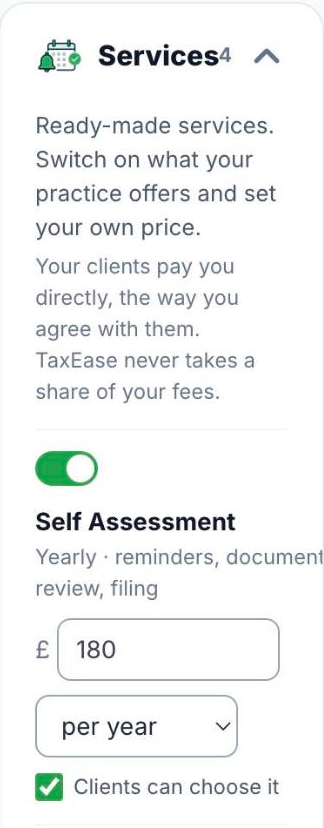
- Under Services, switch on what your practice offers and type your price (per year, quarter, month or one-off). Tick Clients can choose it to let clients pick the service themselves. Your clients pay you directly; TaxEase never takes a share of your fees.
- Under Contract with your clients, use the TaxEase model or upload your own letter. Each client signs it in the app before they start.
- Under Directory Profile, press Edit profile and switch on to appear in the public directory of verified accountants.
- Under Account, you can change your own password.
- Turn on Two-step sign-in (2FA): press Turn on 2FA, scan the QR code with Google Authenticator or Authy, type the 6-digit code and press Confirm and turn on. From then on, each sign-in asks for the code from your phone.
Good to know
- Keep a copy of the 2FA code somewhere safe, not on the same phone. Lost your phone? Email support@taxeaseuk.com from the email address on your account.
- Your plan and the number of client accounts included are in the box on the right.
Was this helpful?Still stuck?or email support@taxeaseuk.com